If your Microsoft 365 email connection keeps dropping and requires periodic reconnection, the issue is often related to security or authentication settings rather than the integration itself. A common cause is OAuth token expiration. Many organizations configure tokens to expire every couple of weeks as part of their security policies. While this can interrupt integrations, it is generally considered good practice from a cybersecurity perspective. Another possibility is related to Microsoft 365 Admin or Azure Active Directory configurations. Security controls, connected app permissions, or conditional access policies may automatically terminate third-party connections when certain triggers occur. If you’re experiencing repeated disconnections, it’s worth reviewing your MS365 Admin Center and Azure AD settings to identify any policies that may be forcing reauthentication or blocking persistent connections.

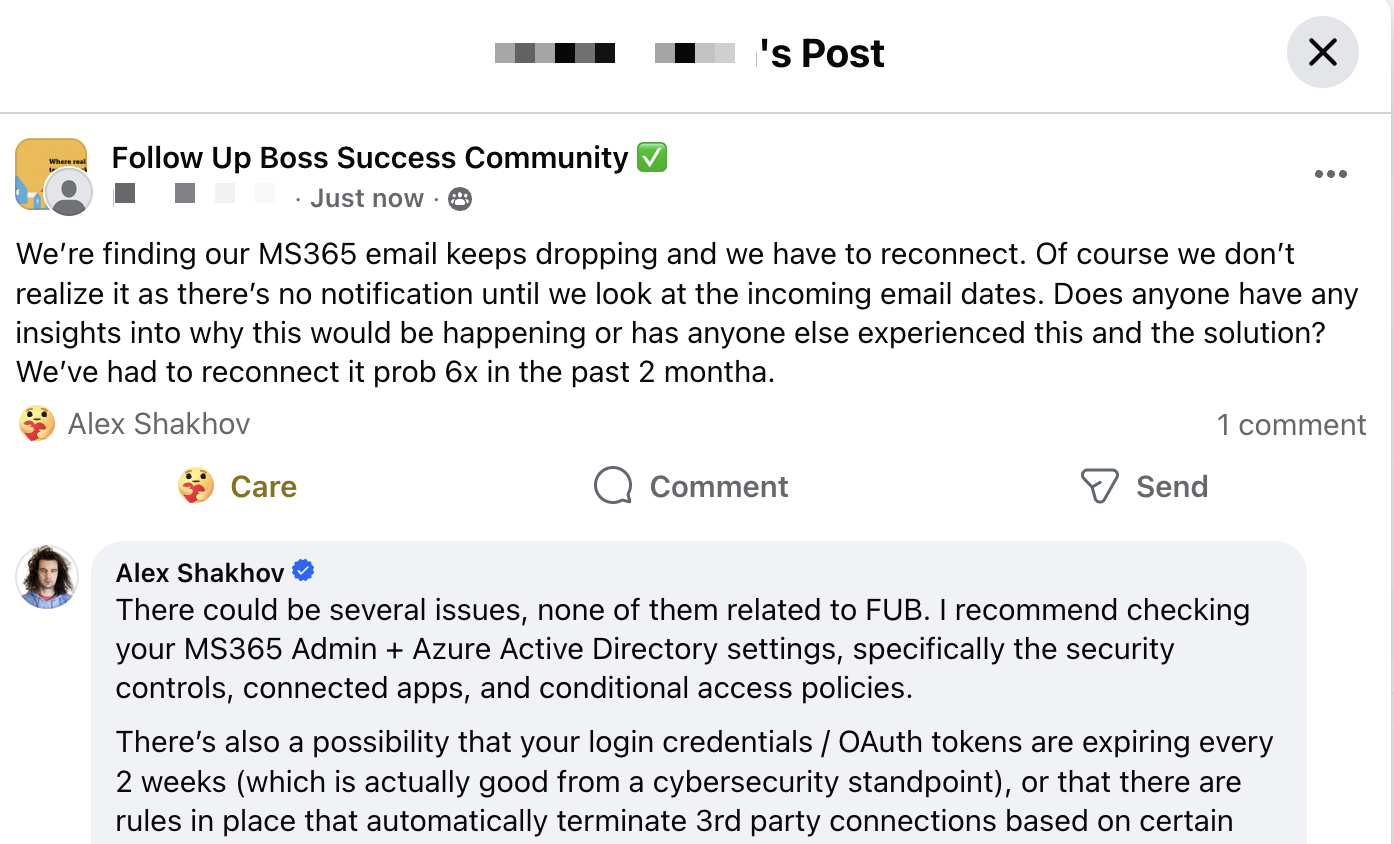
A real estate professional recently asked why their Microsoft 365 email keeps disconnecting from Follow Up Boss. The issue isn’t immediately obvious because there are no notifications when it happens. The only sign is that incoming emails suddenly stop syncing, and they have to manually reconnect the account. In this case, it had already happened several times over a couple of months.
There could be several issues, none of them related to Follow Up Boss.
When something like this happens, the first place I recommend checking is your Microsoft 365 Admin and Azure Active Directory settings, specifically the security controls, connected apps, and conditional access policies. These settings determine how third-party applications are allowed to connect to your email account, and certain policies can cause those connections to drop.
There’s also a possibility that your login credentials or OAuth tokens are expiring every couple of weeks, which is actually good from a cybersecurity standpoint. It prevents long-term access if credentials are compromised. However, when tokens expire, third-party applications may require you to reconnect the account to reauthorize access.
Another possibility is that there are rules or security policies in place that automatically terminate third-party connections based on certain triggers.
Either way, when something like this happens, the right place to investigate is inside your Microsoft 365 account, not the CRM.