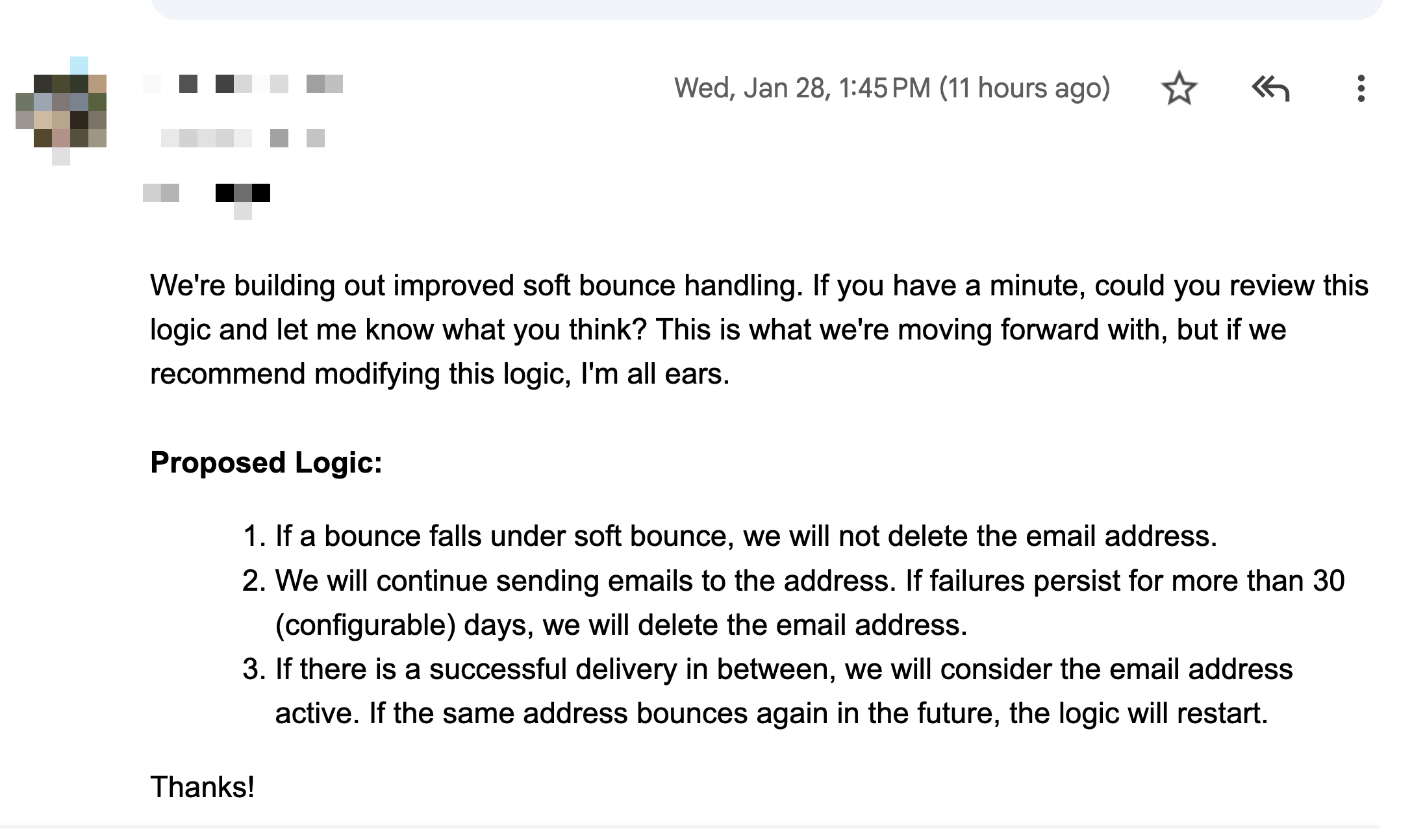
A product team recently asked for feedback on their approach to handling soft bounces. Their plan was straightforward - don’t delete the email address, keep sending, and if the address keeps soft bouncing for more than 30 days, remove it. If a delivery succeeds in between, reset the clock and treat the address as active again.
At a very high level, this logic is reasonable and will work fine for basic filtering. But if you have the engineering time and want a more resilient system, here what I suggest:
Create three categories:
- soft bounces
- hard bounces
- blocks
Hard bounces - these leads should be removed and never emailed again (or sent to a leadpond for a VA to check for typos / identify the correct email address). These would include things like:
- user does not exist
- invalid recipient address
- domain does not exist
And so on.
Soft bounces - these are temp issues, and you should continue sending emails to these addresses. I’m OK with retrying for 30 days. if the issue persists longer, pause sending for 6 months and then retry.
Examples:
- mailbox full
- infinite routing loop detected
- misconfigured receiving domain / no MX records
- content or formatting issues
And so on.
Blocks - these are emails that are neither hard bounces nor soft bounces. These are intentional blocks of your emails due to specific reasons, for example:
- bad IP reputation
- poor sender reputation
- blocked for policy reasons
- spammy content (incl attachments)
For blocks, sending should be stopped immediately, error codes collected, and an investigation started to address the issue. Emails should not be retried until the problem is resolved.
In short, bounces come from the receiver’s email server & infrastructure, while blocks are caused by issues on the sender’s server and infrastructure.
I recommend reviewing the SMTP error codes below, deciding which ones belong to each category, and building a system that processes emails based on the error codes returned by receiving servers: https://smtp.codes/